ASU GPA Calculator Your Ultimate Guide to Calculating Your Grade Point Average
ASU GPA Calculator
College life at Arizona State University (ASU) can be exciting but challenging, especially when it comes to keeping track of your academic performance. One key metric that students often worry about is their Grade Point Average (GPA). If you’re aiming for scholarships, planning to transfer, or just want to stay on top of your grades, understanding how to calculate your GPA is essential.
This guide provides a clear, step-by-step explanation of how to use an ASU GPA calculator, the grading scale, the formulas involved, and tips to address common student concerns. We’ll make it simple, engaging, and easy to follow, even for a 7th-grade reading level!
Why Does Your ASU GPA Matter?
Your GPA is like a report card for your college performance. It shows how well you’re doing in your classes and can impact several aspects of your academic and professional journey:
- Scholarships and Financial Aid: Many scholarships require a minimum GPA, such as 3.0 or higher. For financial aid at ASU, you need to maintain a specific cumulative GPA based on your attempted credit hours (e.g., 2.0 for 60+ hours).
- Job and Internship Opportunities: Employers often look at your GPA to gauge your work ethic and academic skills.
- Graduate School Applications: A strong GPA can make you a competitive candidate for advanced programs.
- Academic Standing: Falling below a certain GPA (like 2.0) can lead to academic probation or disqualification.
- Personal Goals: Tracking your GPA helps you set study goals and improve your performance.
Understanding ASU’s Grading System
ASU uses a 4.0 grading scale with plus and minus grades, but there are some unique aspects to know:
- No A+ Grade: Unlike some schools, ASU does not use A+ (4.33). An A+ from another institution is converted to an A (4.0) for GPA calculations.
- E for Failing: Instead of an F, ASU uses an E to indicate a failing grade, which counts as 0.0 grade points.
- Other Grades: Grades like W (withdrawal), I (incomplete), P (pass), X (audit), Y (satisfactory), or Z (course in progress) do not affect your GPA but may count as attempted hours for financial aid purposes.
Here’s the ASU grading scale with corresponding grade points:
| Letter Grade | Grade Points |
| A | 4.0 |
| A- | 3.7 |
| B+ | 3.3 |
| B | 3.0 |
| B- | 2.7 |
| C+ | 2.3 |
| C | 2.0 |
| C- | 1.7 |
| D+ | 1.3 |
| D | 1.0 |
| E | 0.0 |
This scale is consistent across most ASU programs, but some courses may have specific grading policies outlined in the syllabus. Always check with your professor if you’re unsure.
How to Calculate Your ASU GPA: Step-by-Step Guide
Calculating your GPA manually can be tricky, but it’s straightforward once you know the process. Here’s how it works, followed by how to use our ASU GPA calculator.
Manual GPA Calculation Formula
The formula for your GPA is:
GPA = Total Grade Points ÷ Total Credit Hours Attempted
Here’s how to apply it:
- List Your Courses and Grades: Write down each course, its letter grade, and the number of credit hours. For example:
- Course 1: Math (A, 3 credits)
- Course 2: English (B+, 4 credits)
- Course 3: History (C, 3 credits)
- Convert Grades to Grade Points: Use the grading scale above to assign grade points to each letter grade.
- Math: A = 4.0
- English: B+ = 3.3
- History: C = 2.0
- Multiply Grade Points by Credit Hours: For each course, multiply the grade points by the credit hours to get the grade points earned.
- Math: 4.0 × 3 = 12.0
- English: 3.3 × 4 = 13.2
- History: 2.0 × 3 = 6.0
- Sum the Grade Points: Add up all grade points earned.
- 12.0 + 13.2 + 6.0 = 31.2
- Sum the Credit Hours: Add up all credit hours attempted.
- 3 + 4 + 3 = 10
- Divide to Find GPA: Divide total grade points by total credit hours.
- 31.2 ÷ 10 = 3.12
Your Semester GPA is 3.12.
Using the ASU GPA Calculator
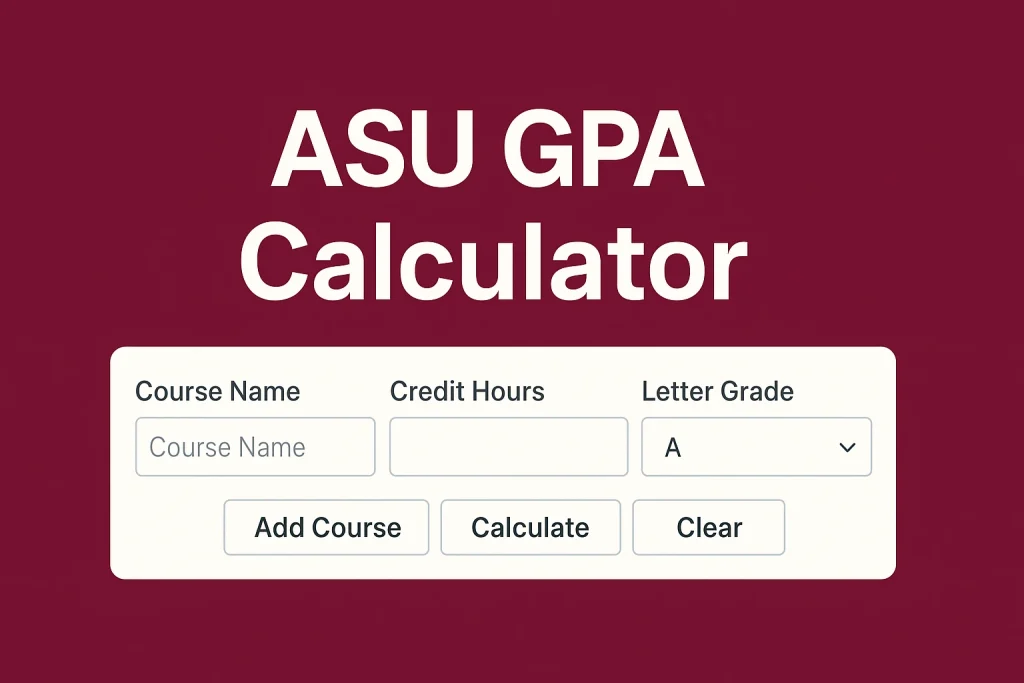
Manual calculations can be time-consuming and prone to errors, especially with multiple semesters. Our ASU GPA Calculator simplifies the process. Here’s how to use it:
Enter Current Cumulative Information (Optional):
- If you know your current CGPA and total credits earned, input them to calculate how this semester affects your overall GPA.
- Example: Current CGPA = 3.0, Credits Completed = 30.
Add Semester Courses:
For each course, enter:
- Course Name (optional, e.g., “Biology 101”).
- Credit Hours (e.g., 3 or 4).
- Letter Grade (select from a dropdown: A, A-, B+, etc.).
- Example: Biology 101, 3 credits, A.
Add More Courses or Semesters:
Click “Add Course” to include more classes in the same semester. -“Add Semester” to calculate GPAs for multiple semesters.
Calculate:
Click the “Calculate” button to see your ASU GPA.
Save or Share:
The calculator may save your results in your browser or provide a shareable link for future reference.
The calculator automatically converts letter grades to grade points using ASU’s 4.0 scale and does the math for you, saving time and reducing errors.
If you’re studying at Kerala Technological University, check out our CGPA Calculator for KTU. It’s tailored to KTU’s academic structure and makes semester-wise CGPA tracking simple and accurate.
Common Student Problems & Solutions
| Problem | Solution |
| Confusion over grades | ASU doesn’t use A+ (4.33). Use A (4.0) instead. |
| Manual calculation errors | Use the calculator for accurate results. |
| Transfer credits confusion | Transfer grades don’t affect GPA but count as attempted hours. |
| Low GPA concerns | Utilize ASU’s Grade Forgiveness and Replacement policies. |
| Financial aid worries | Use the calculator to ensure you meet GPA thresholds for aid. |
Tips to Boost Your ASU GPA
Plan Your Schedule: Take a mix of challenging and manageable courses to balance your workload.
Use Grade Forgiveness Wisely: Prioritize retaking courses with D or E grades to maximize GPA improvement.
Seek Academic Support: ASU offers tutoring, study groups, and advising to help you succeed.
Track Your Progress: Use the GPA calculator regularly to see how each semester impacts your CGPA.
Communicate with Professors: If you’re struggling, ask for feedback or extra credit opportunities (if available).
FAQ’s
What if I withdraw from a course?
A “W” grade does not affect your GPA but counts as attempted hours for financial aid. Check with your advisor to understand the impact.
Can I appeal for a grade?
Yes, you can appeal within 90 days of the semester’s end by contacting your instructor or department chair. A corrected grade will update your GPA.
How does repeating a course work?
For up to 14 credit hours, only the highest grade counts in your GPA. For Grade Forgiveness (up to 15 hours), the lower grade is excluded but remains on your transcript.
Where can I find my official GPA?
Log in to My ASU, go to “Grades & Transcripts,” and view your unofficial transcript.
Does my GPA affect my admission to ASU programs?
Some programs have minimum GPA requirements. Use the calculator to ensure you meet these standards.
Planning to apply to universities like Savitribai Phule Pune University (SPPU) or include your CGPA in percentage format for job applications? Use our SPPU CGPA to Percentage Calculator to convert your academic performance accurately based on SPPU’s official formula.
Conclusion
Calculating your GPA at Arizona State University doesn’t have to be stressful. With our ASU GPA Calculator and this step-by-step guide, you can easily track your academic progress, plan for future semesters, and address any challenges.
Whether you’re aiming to maintain financial aid eligibility, qualify for scholarships, or simply stay on top of your grades, understanding your GPA is a powerful tool for success. And if you need to convert your CGPA for external applications or university forms, check out our CGPA to Percentage Calculator for quick, accurate results.
Start using the calculator today, and take control of your academic journey at ASU!